The Challenge
Customers needed tailored hazard labels
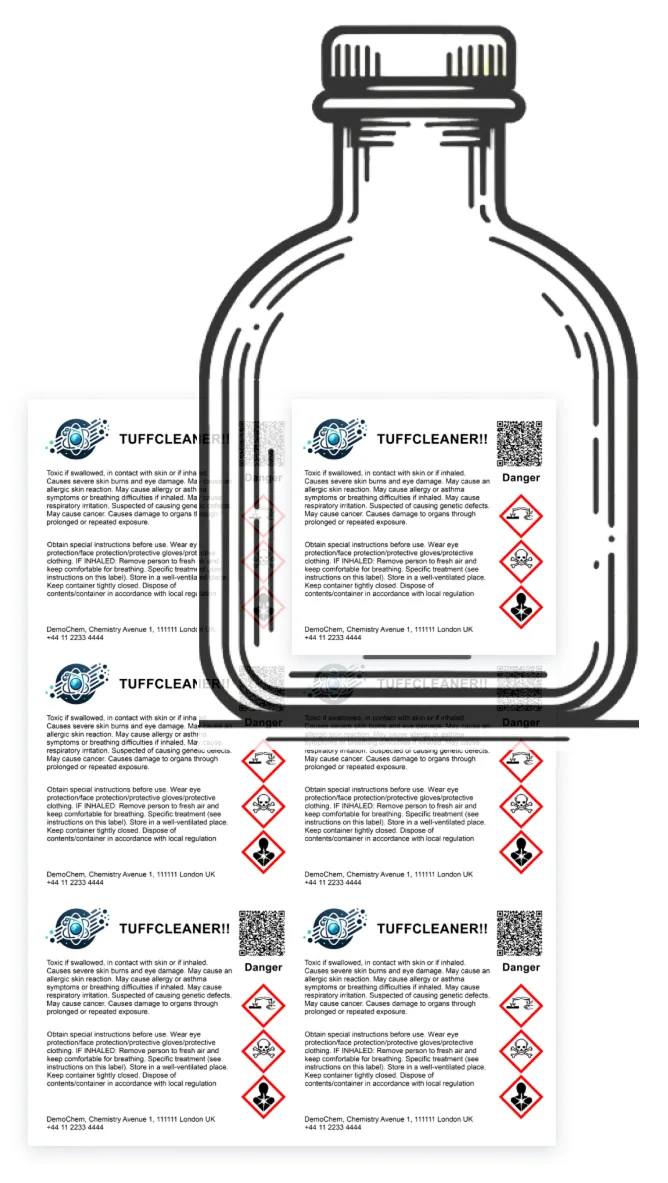
While the core of Almego was the authoring of chemical safety data sheets (SDS), many customers also expected a built-in editor to be able to create (and print) hazard labels to put on chemical containers for showing key data such as hazard pictograms and precautionary statements.Especially in small batches for e.g. lab work or customer samples.
Although Almego had a basic tool for creating such labels (see below), customers needed more flexibility and freedom in terms of label sizes, layout, design and content.
Regarding scope, while users could add their logo and other graphic elements, our intention was not to provide a tool for fully branded labels to put on products sold to end customers – that domain would also be highly competitive.
Thus the focus was on regulatory compliance labels for internal use and B2B purposes, where users could benefit from reusing their chemical data already stored in Almego.
Previous version was limited
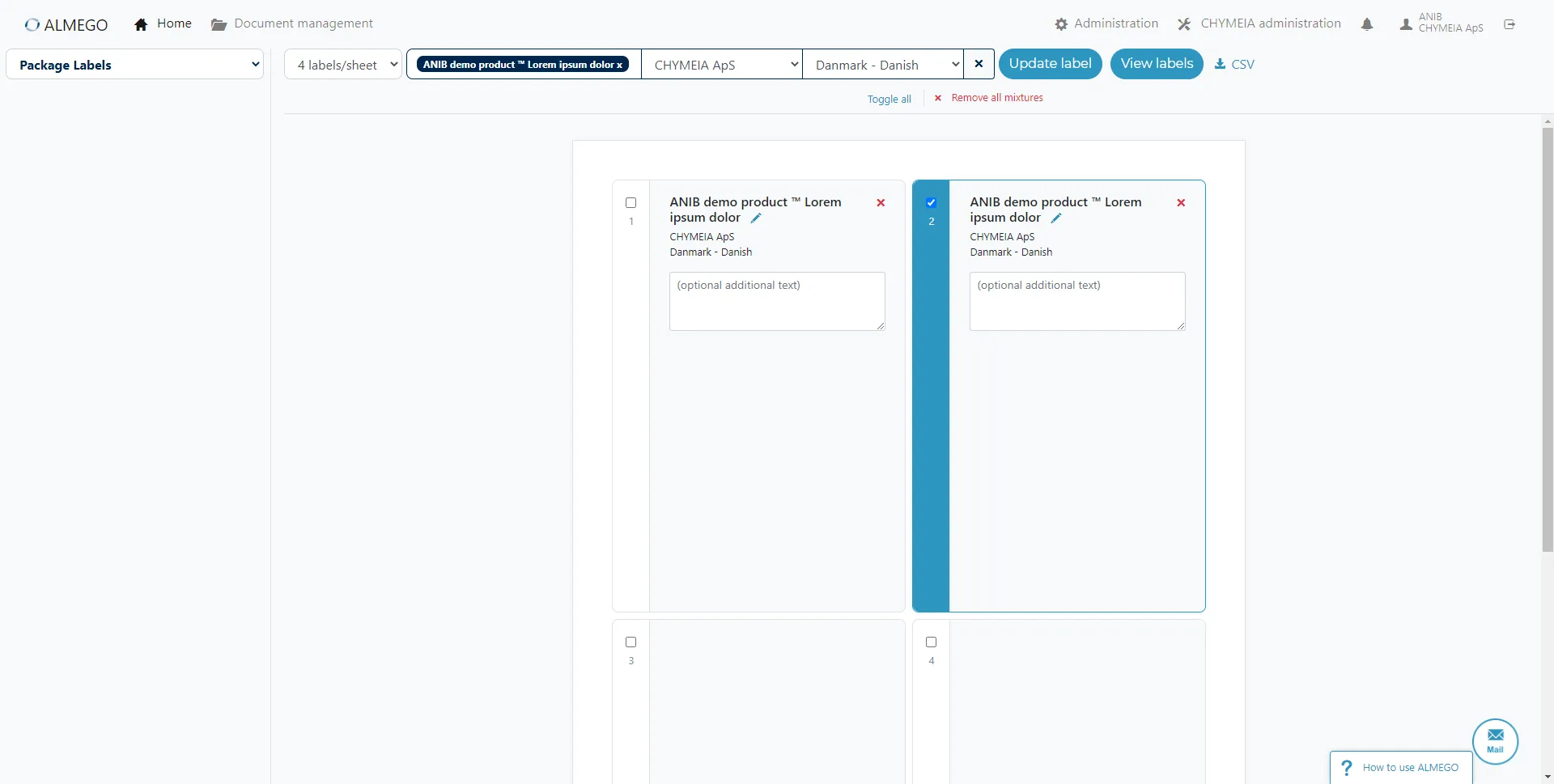
The old the label editor (also designed by me as an 'MVP' back then) worked, but was basic, with very limited user control over design, layout or content elements.Compare with new design below.
The Process
Research and workshops, and then: General concept explorations — trying to find a middle ground of structure vs. flexibility
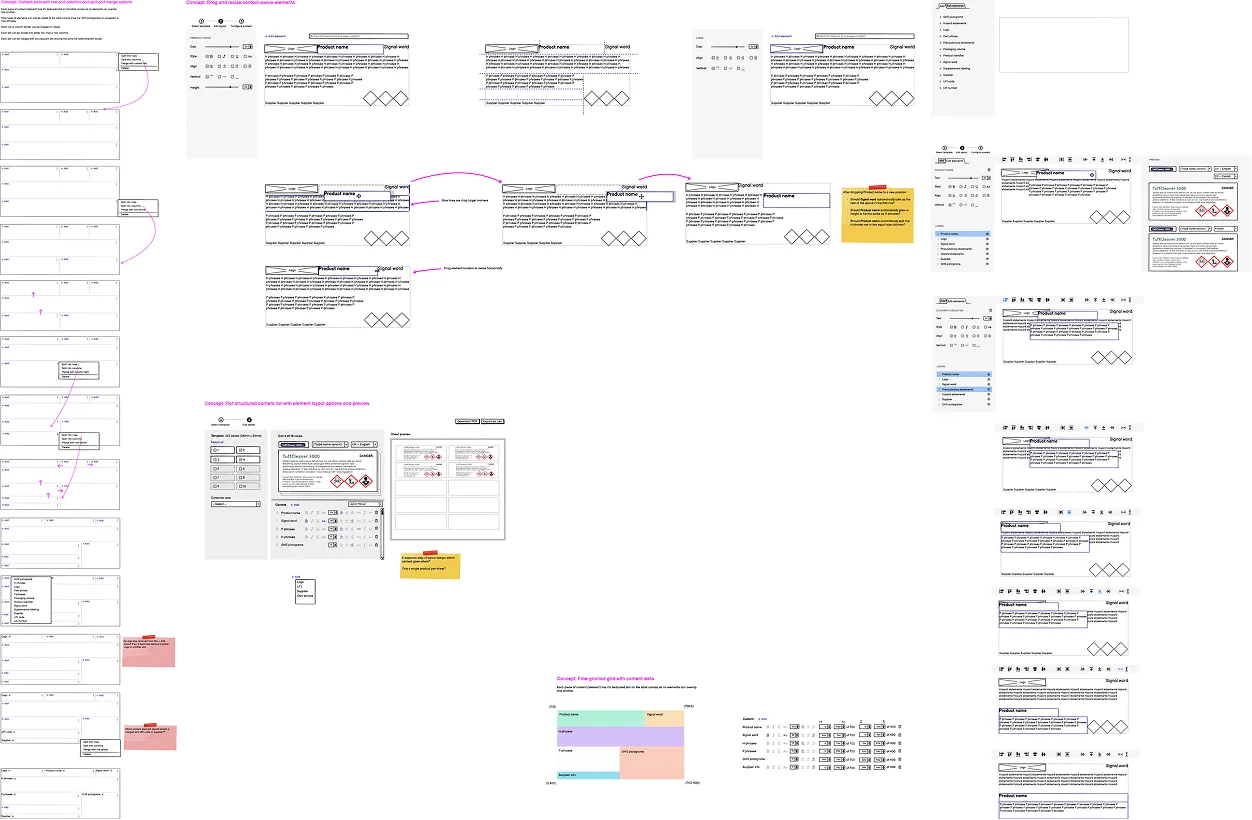
To gather requirements, we had workshops with inhouse chemical experts. We interviewed customers about their current workflows and needs. Furthermore I analyzed competing label editors.Based on that I started sketching ideas for the general concept. First I wanted to find out whether we could offer a highly structured yet sufficiently flexible tool, using e.g. fixed content grids and slots, a bit like LEGO bricks.
However, these designs proved too rigid and constraining, introducing a host of issues on their own.
So, we moved on to explore more freeform designs, akin to graphic design tools, where users can move, resize and edit elements on a canvas.
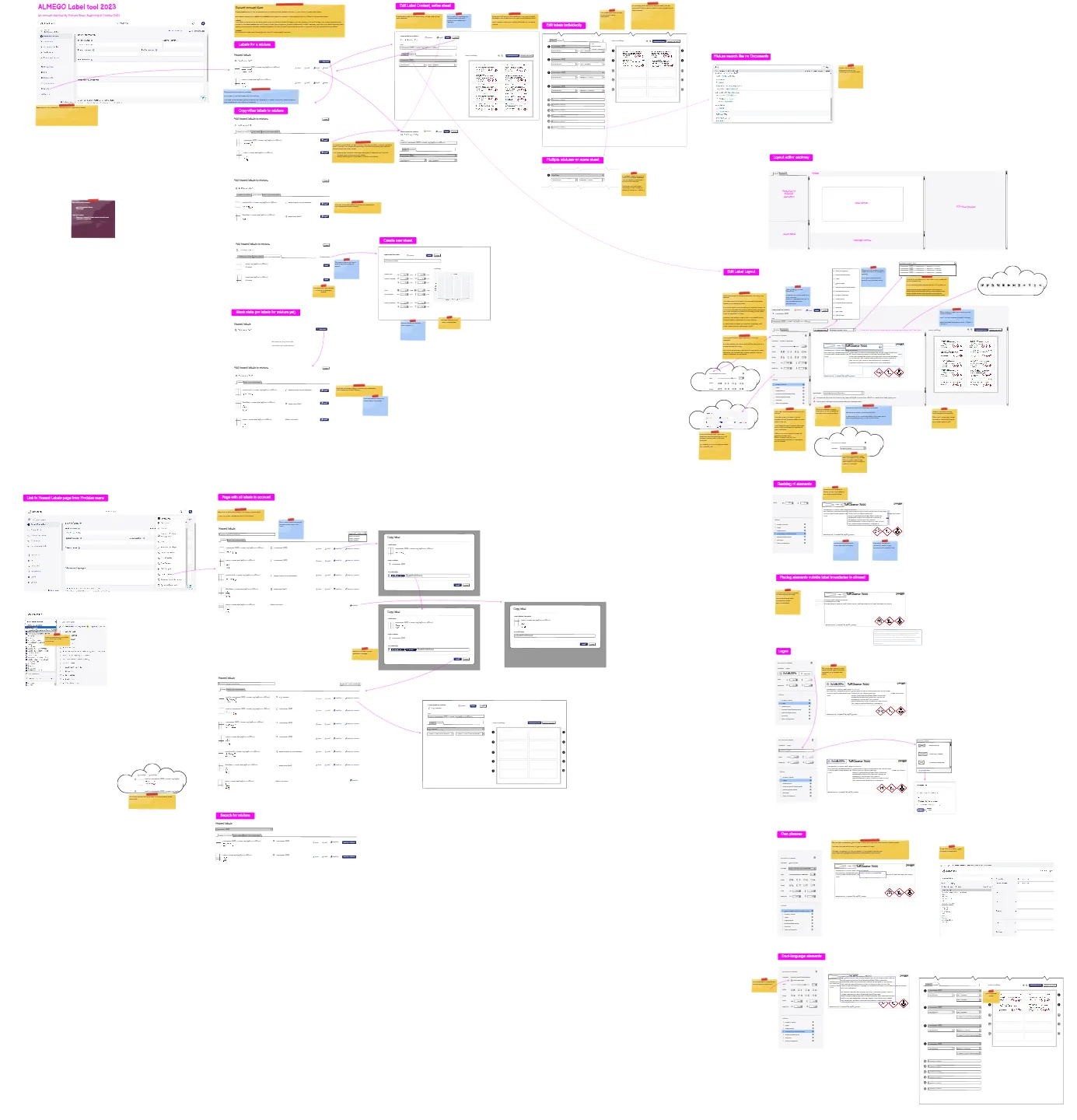
Design iterations that didn't work out in user testing
In this iteration parts of the design were hard to understand according to our user testing – so it was back to the drawing board.As an aside, the cloud 'bubbles' represented explorations of how the design could accommodate future features that wouldn't be part of the initial release.
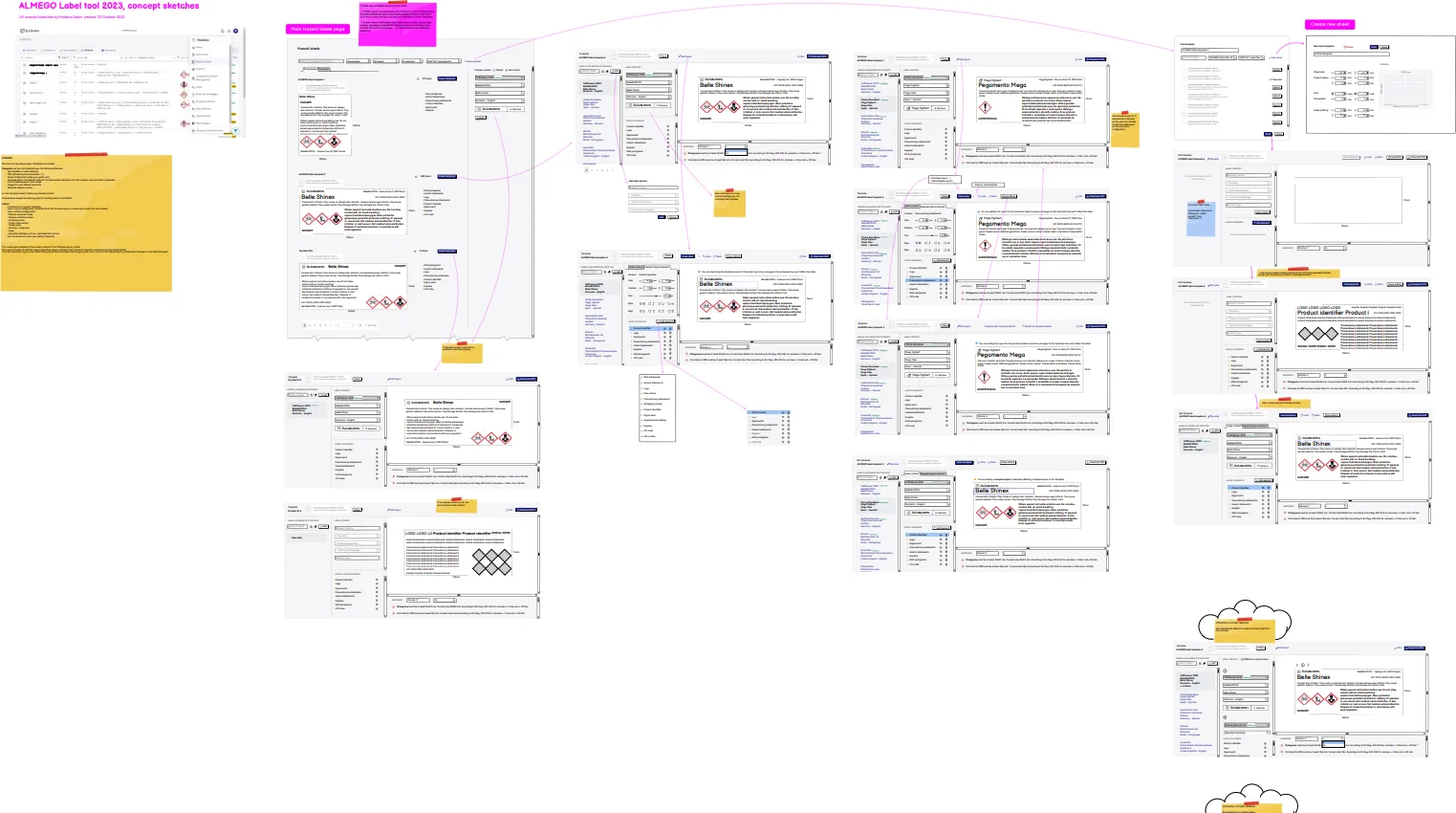
Promising wireflow concepts
Not too far from the final design, with an editor, where users could freely move objects around and change their properties – as opposed to the more fixed/constrained concepts depicted in the explorations above.Many parts were conceptually tricky, one aspect being how to communicate the difference between an instance of the template with specific content (product name, language etc.) and the template itself defining the general layout of content elements (placeholders) and their properties.
The Solution
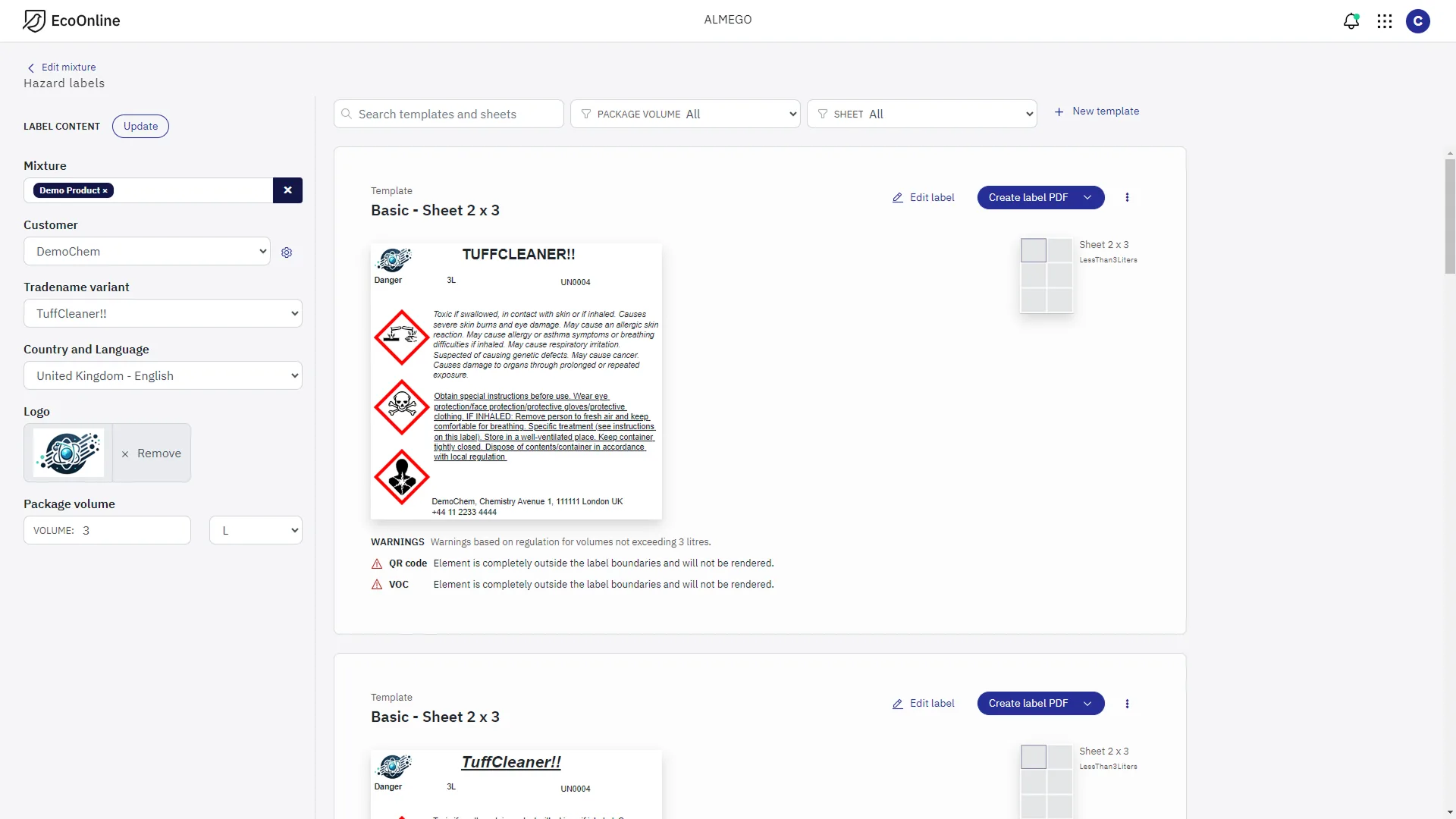
Final design — Overview of label templates
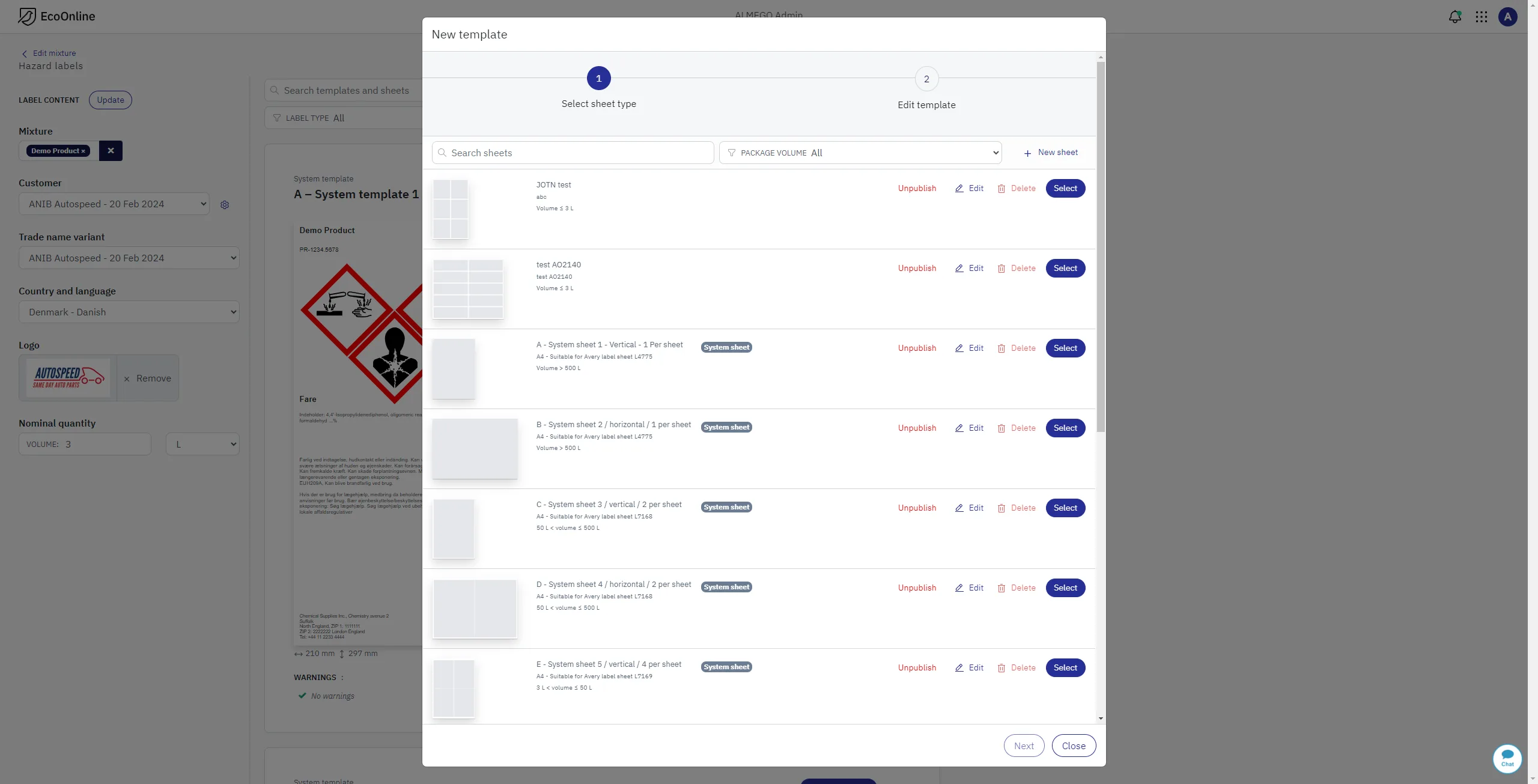
The templates could be previewed with actual content. This part of the design proved quite difficult to get right due to a mix of requirements:We wanted users BOTH to be able to preview templates with actual content, AND to create the label PDF directly if the default layout was sufficient, ALL WHILE allowing users to further edit label layout and content if needed.
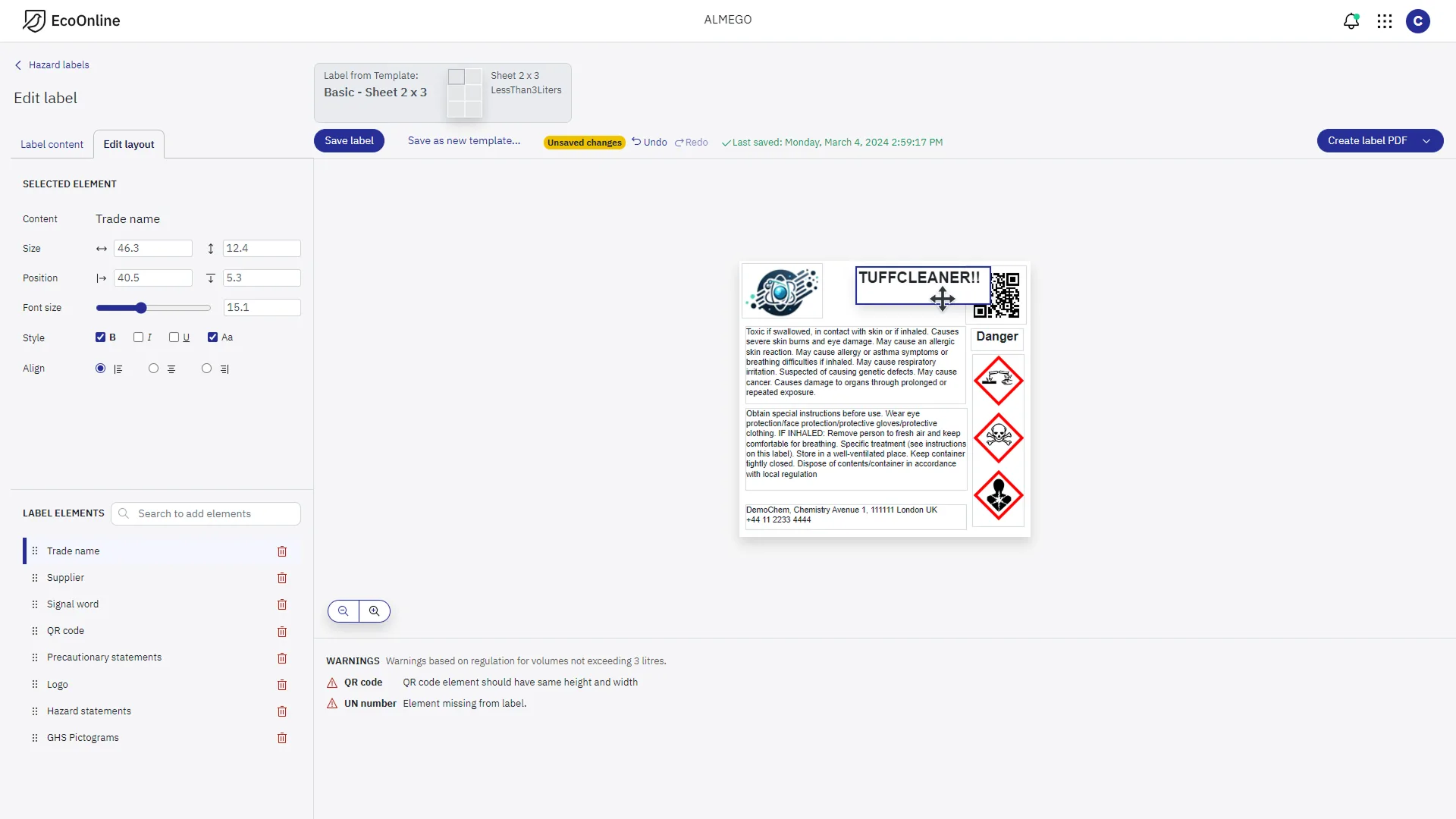
Final design — The editor workspace
With the label taking center stage on the zoomable canvas, where users can freely add, remove, edit, move and resize elements with the mouse.We leveraged established design patterns for editors of this kind including property panels for the selected element (center left) and a layers panel of added content elements (bottom left).
A nifty feature (bottom center) was live warnings whether the design adhered to the regulatory demands established by the chemical authorities.
Compare with previous design above.
Final design — Admin interface
To manage print sheets and template designs.Providing users with templates for different label sizes and formats was crucial for enabling quick label creation, while at the same time allowing for full customization when needed.