The Challenge
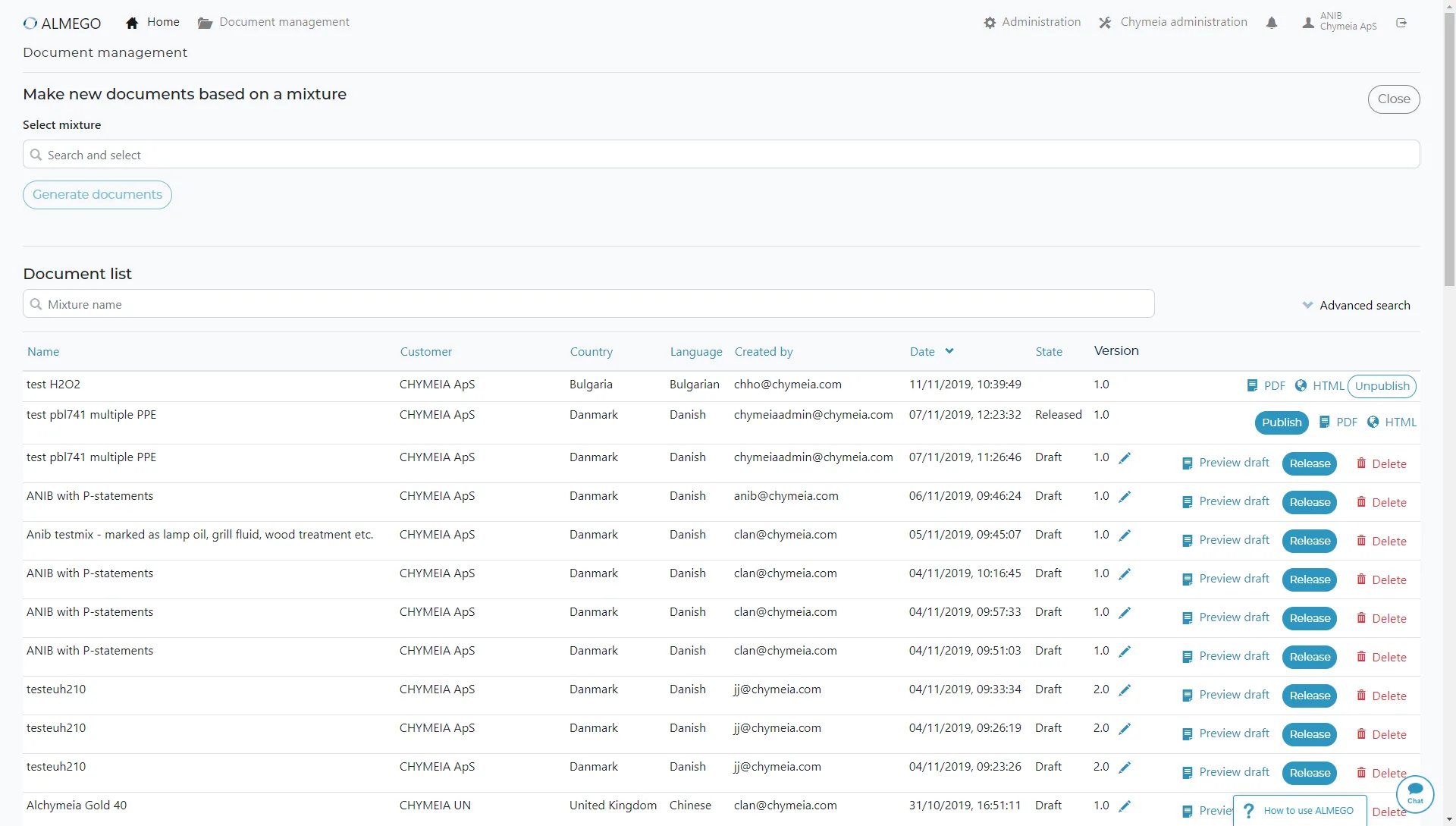
Before redesign — a deceptively simple list
The document management interface is obviously very important to users, since the final documents are what they actually need. But the feature is also very important to the business, since only Released (not Draft) documents count towards the subscription tier.At first glance the original design was straightforward and usable.
However, in reality, the single big, evergrowing list of all documents for all chemical products, customers and countries – and in all stages of Draft, Released (most recent, authoritative version), Published (to web integrations) or Archived (i.e. replaced by a newer version) didn't work so well.
For instance, to create new draft documents:
- Search for a single product
- Choose a single brand
- Choose countries and languages
- Generate drafts with one click
- Locate the draft in the large documents list (on top if default sorting was active)
- Review document and edit data
- Start all over from the beginning to generate a new version.
Thus our main design goals were:
- Make it much easier and quicker to generate Drafts and Released documents, also across products and brands, in bulk. Consider the typical cycle of going back and forth between editing data and generating drafts to see the changes. Additionally, make it easy to further process documents, such as downloading and publishing.
- Provide a better organization to make it easier to find relevant documents (i.e. the most recent Drafts and Released versions), and thus remove the noise of irrelevant documents
The Process
Key concept discovery: Consistent grouping and ordering combined with bulk operations
As a first step after kickoff, I conducted an internal survey asking questions such as: What works well/doesn't work so well in the current design?I analyzed the existing UI and did a number of user interviews to help understand current workflows and pain points.
From those insights I began exploring design solutions.
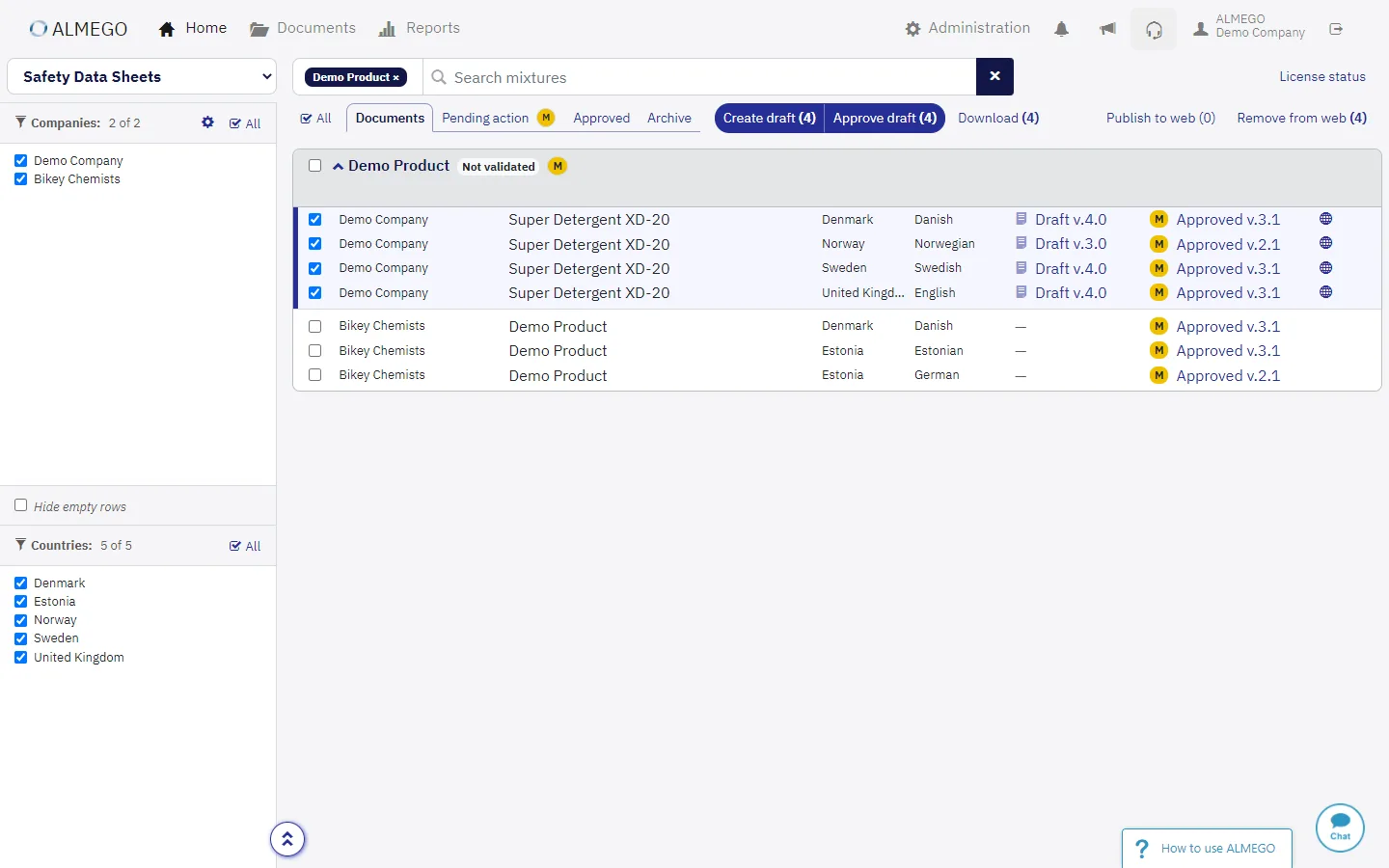
After several iterations, it was quite a Heureka! moment, when I came up with the winning concept meeting our design goals (more efficient document generation/processing + easier to find relevant documents): Each chemical product (also called mixture) would be inside a (collapsible) panel.
Further grouped inside were companies and their brand names for that particular product. Each country+language version of the document would constitute their own row, sorted A-Z.
And the really clever part? Each row would always link to the most recent Draft and Released versions of the document in their dedicated row cell 😁
Thus the same document would always live in the same place, not be hidden somewhere deep inside a giant list of all documents ever produced.
An organization like that also better mapped to some users' mental model of a 'working draft' (like a Word document being continuously updated).
Furthermore, this design allowed us to provide easy filter mechanisms — and bulk operations, allowing users to select multiple rows and perform actions such as Create/Update, or Release directly from the toolbar.
The concept is demonstrated in this screen recording from a set of click-through wireframes.
How to add new document rows?
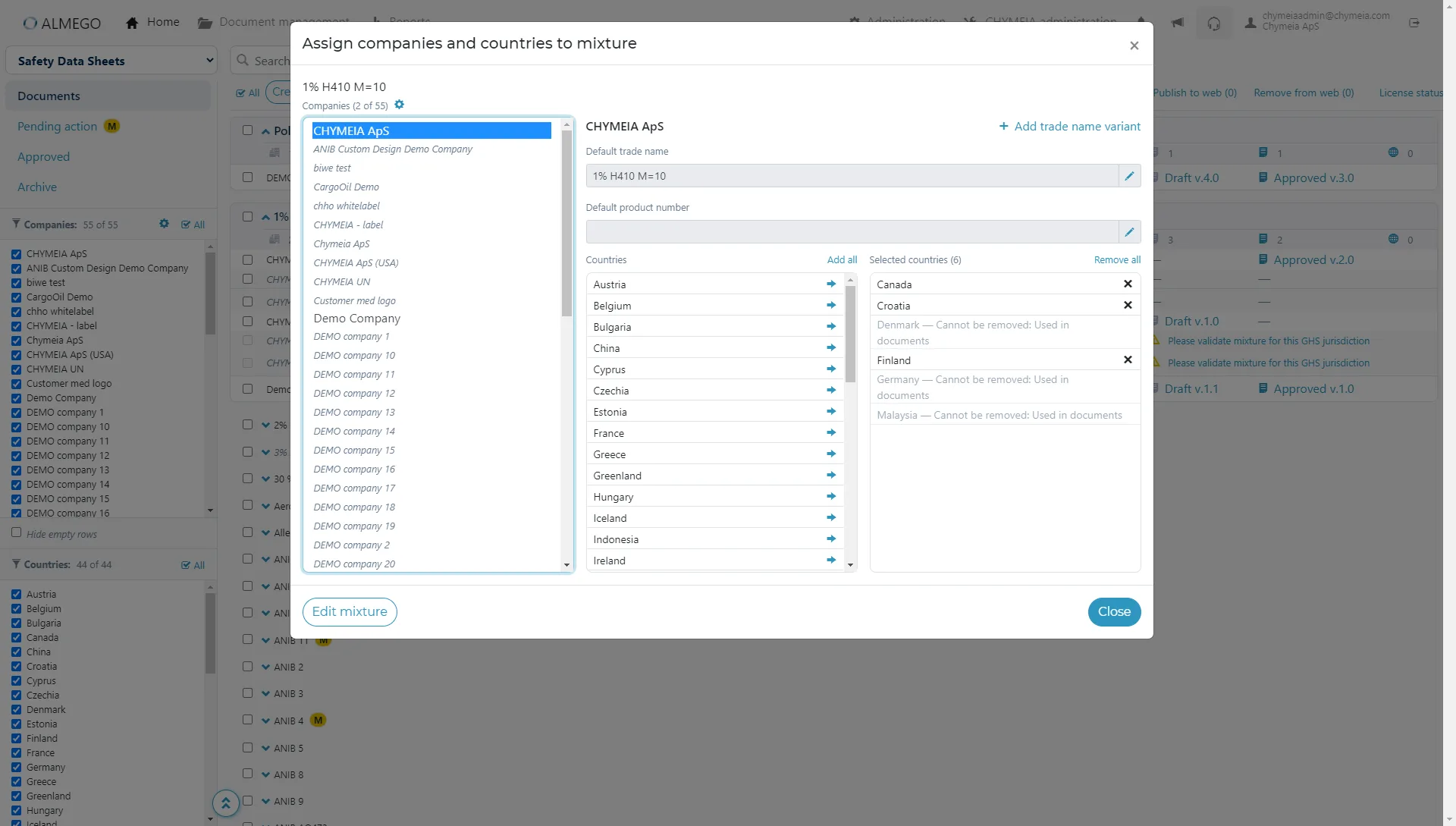
While the concept above is very efficient for existing documents, the design for adding new documents — with no prior existing versions — proved more tricky to get right.It took several design iterations to arrive at a solution which was both easy to understand and efficient to use.
The final design allowed users to open a modal window and add customers/brands and countries (with preconfigured languages) to a product to get pristine rows for generating new documents.
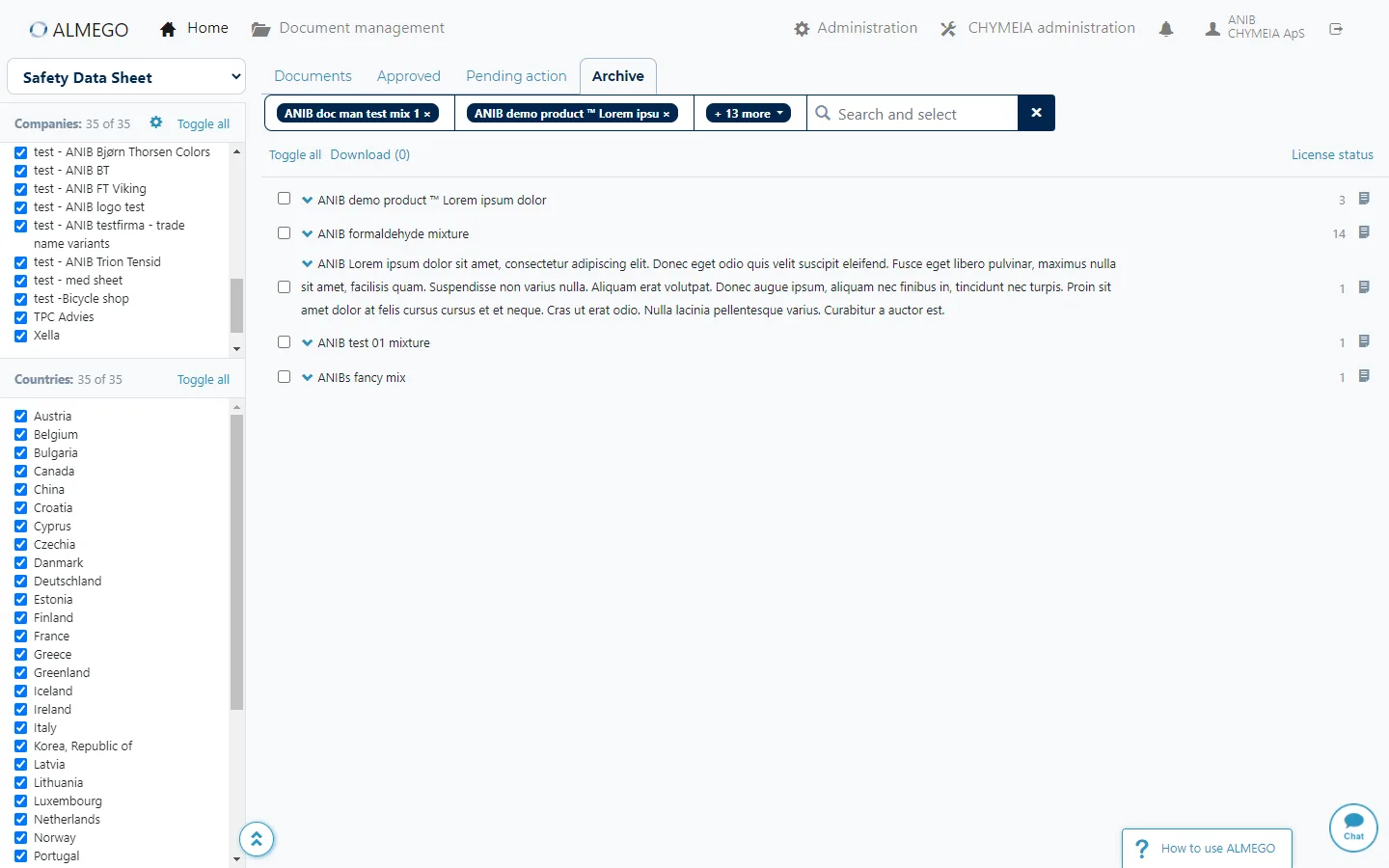
Search and deep-linking for improved findability and uninterupted workflows
As part of the concept, we provided the ability to search for multiple products, generating a unique link to that particular view.That also allowed us to deep-link from a particular product's chemical data page directly to its pertaining documents, something we couldn't do in the previous design.
This enabled users to quickly switch back and forth between editing data and generating new drafts to see the changes.
The Solution
After redesign
The final design met our design goals (more efficient document generation + easier to find relevant documents), and while quite dense, it was highly structured and powerful in use.To create new draft documents:
- Search for multiple products
- Choose one or multiple brands, countries, and languages
- Generate drafts with one click
- Find each draft in its dedicated row
- Review document and edit data
- Just click “Create draft” again to generate a new version (your selections are remembered).
Compare with original design above.
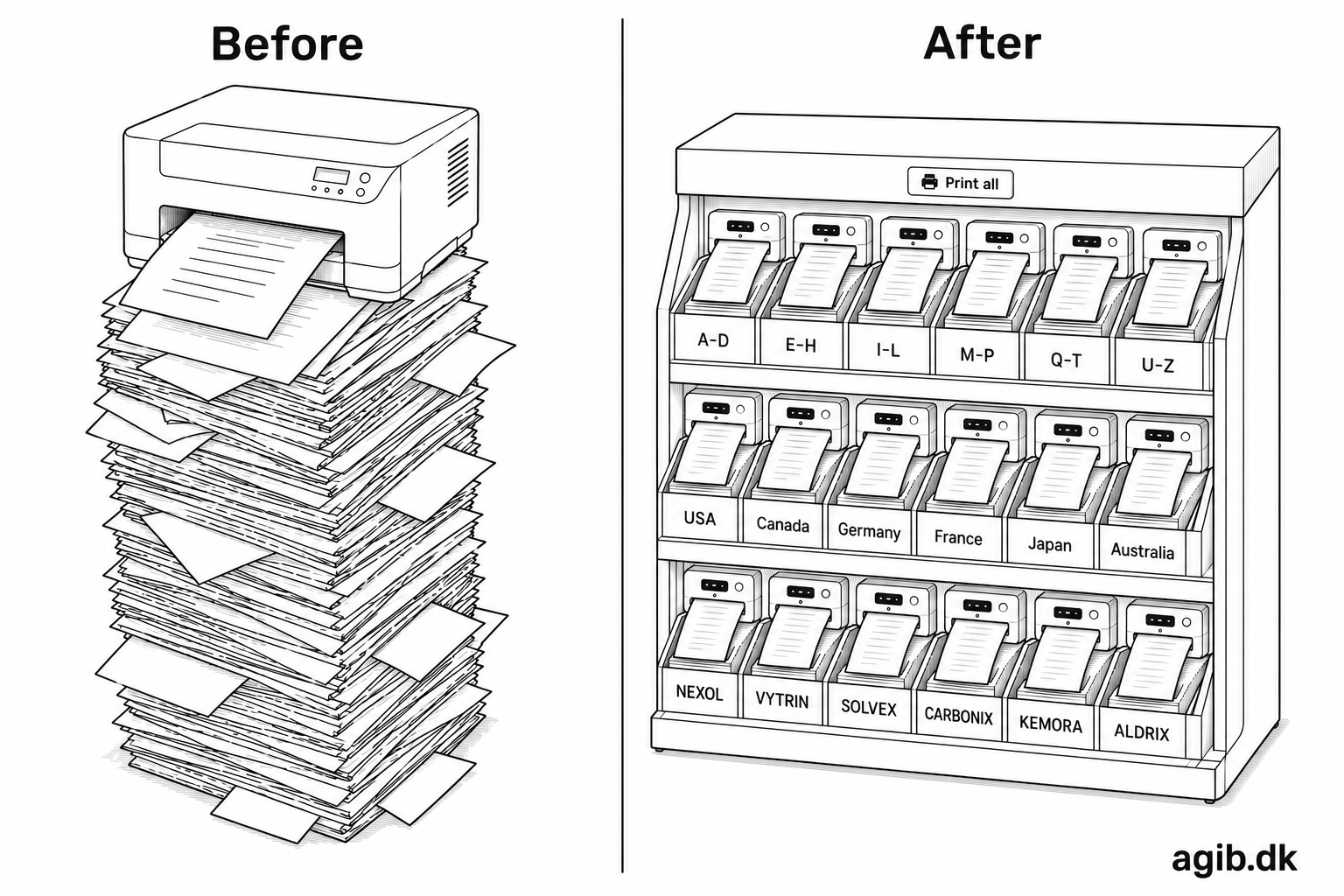
Analogy: From a huge paper pile to a well-organized filing cabinet
In this analogy, the original design is like a huge pile of papers, where you have to sift through the entire pile to find the most recent version of a particular document (though with basic search and sorting functionality).The redesign is like a well-organized filing cabinet, where each product has its own folder, and inside that folder, you can easily find the most recent draft and released versions of the document, along with any relevant information about brands and countries.
Not only does this make it much easier to find the documents you need, but it also allows for more efficient workflows when creating and managing documents.
And yes, the illustration is created with AI ;)